 RemoteHound
Reach your machines from a browser.
SSH, Remote Desktop and VNC to your Linux, macOS and Windows machines. Nothing to install on them, nobody to approve each session, no inbound ports.

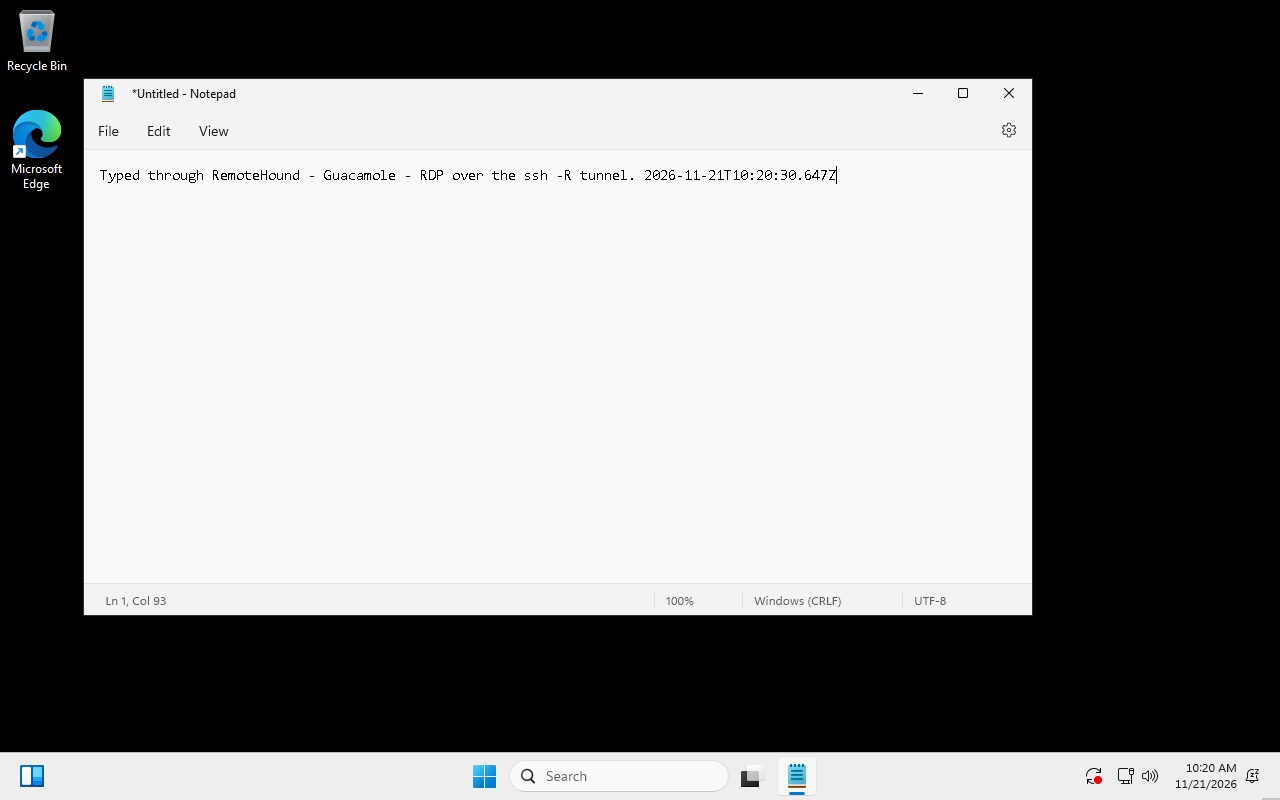
Three steps, one command
The machine opens an outbound SSH tunnel to RemoteHound with the SSH client it already has. Sessions run in your browser through Apache Guacamole.
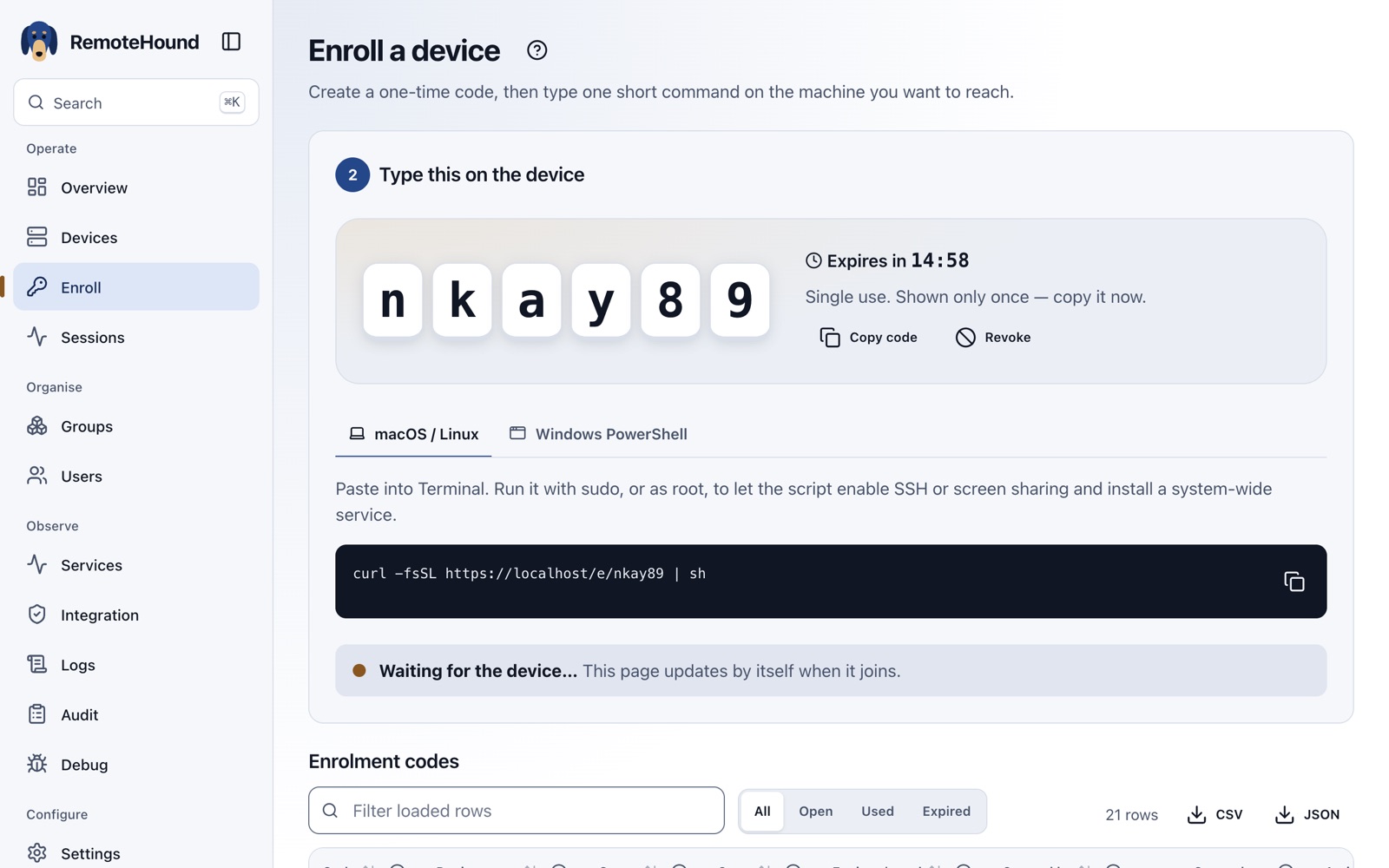
Create a code
In the console, choose Enroll, then Create code. You get a single-use code that expires in minutes.
Run one command on the machine
Paste it into Terminal or PowerShell. It creates the machine's own key and starts a tunnel that comes back after reboots and network drops.
macOS / Linux
curl -fsSL https://rh.aspl.net/e/CODE | sh
Windows PowerShell
irm https://rh.aspl.net/e/CODE | iex
Connect from any browser
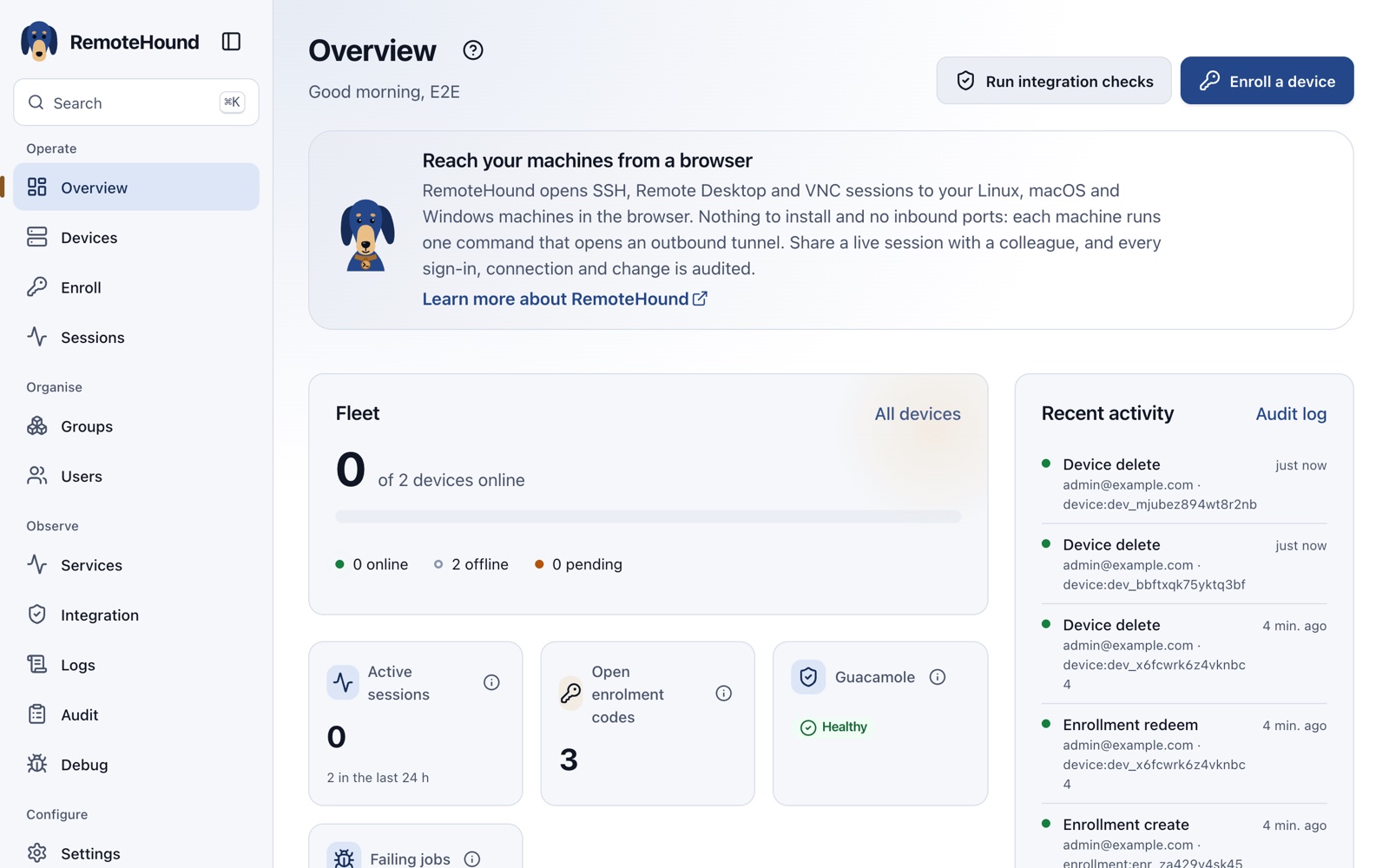
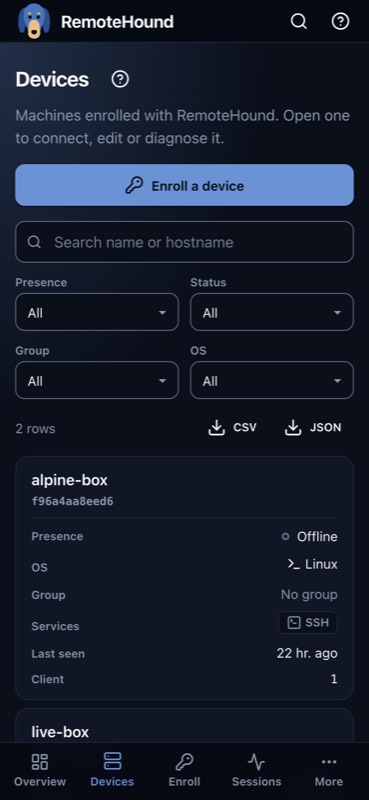
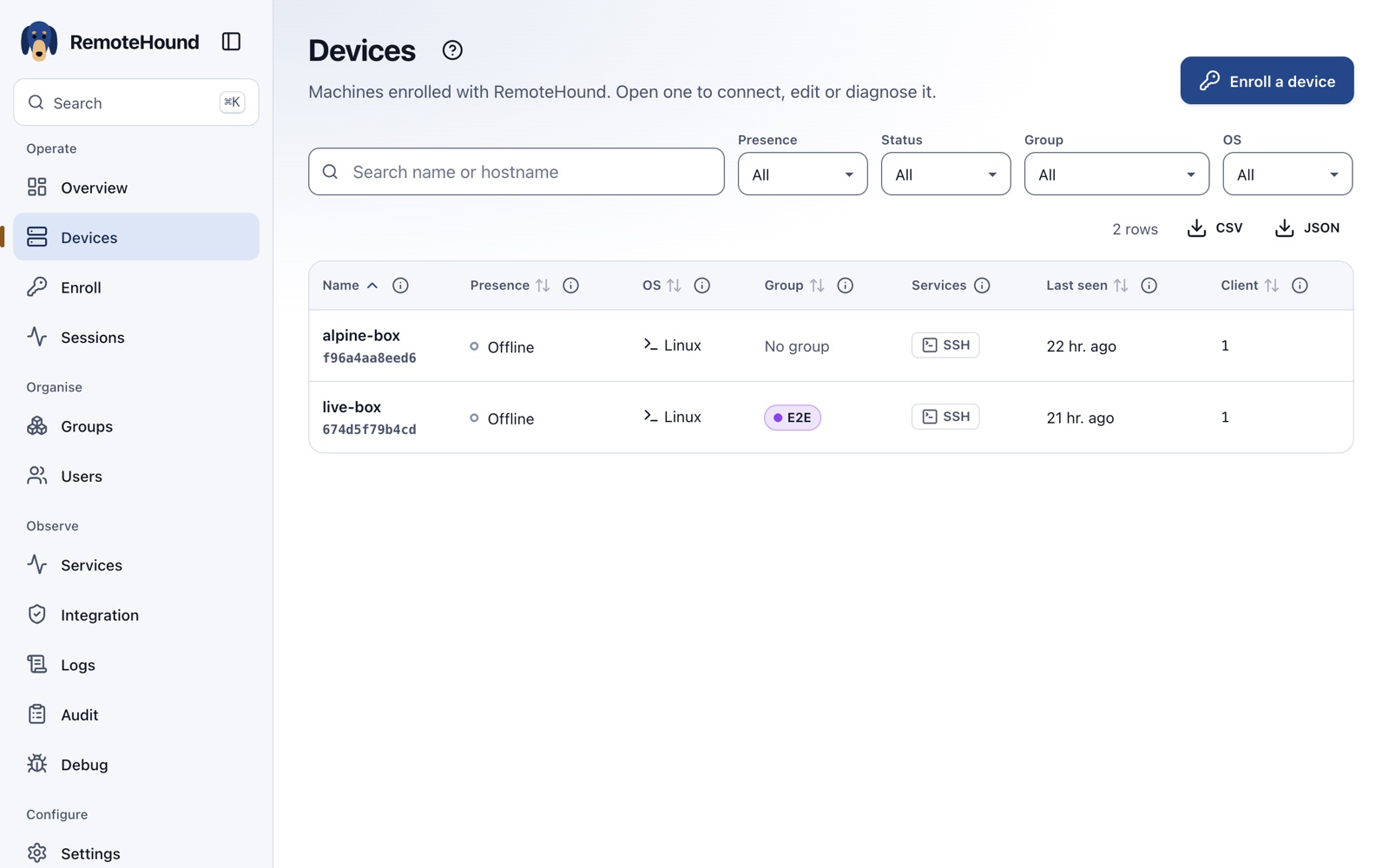
The machine appears under Devices. Select Connect and an SSH terminal or a full desktop opens in a new tab, on a laptop or a phone.
What you get
Built for someone looking after a handful of machines, or a small team looking after many.
SSH, RDP and VNC
A terminal for Linux and macOS, a full Windows desktop over Remote Desktop, and macOS Screen Sharing over VNC.
Nothing to install
No agent. The script uses the SSH client built into macOS, Linux and Windows 10 and later, plus the machine's own SSH, RDP or VNC server.
No inbound ports
The machine dials out, so it works from behind home routers and NAT. Each one has its own key, and its tunnel can only forward its own services.
Made for several people
Everyone keeps their own saved logins. Invite someone to watch or take control of a live session; admins can see and end sessions but not join them.
Checks and fixes itself
Tunnels reconnect on their own. The Services screen shows each part's health, ports and recent errors, and admins can restart them from there.
Every action recorded
Sign-ins, enrolments, connections and changes go into a tamper-evident audit log. Sign in with Microsoft Entra ID, Google, GitHub or any OpenID provider.
The console
One web console for everything, on a desk or on a phone, light or dark.
Why we built it
We already run MeshCentral at remote.aspl.net. It's a capable, mature tool, but two things kept getting in the way.
1. Someone at the other end has to approve the session.
2. Every machine needs a full client installed.
That's right for helping someone at their own computer: they should see and agree to it. It's a poor fit for reaching our own machines — a Windows VM that's only on when needed, a server, a laptop left at home — where nobody is sitting there to click Allow, and installing and updating an agent everywhere is one more thing to maintain.
So RemoteHound uses what the machines already have: the built-in SSH client to open the tunnel, and their own SSH, Remote Desktop or Screen Sharing server for the session. Consent is given once, by whoever runs the command on the machine. After that, people with access in the console can connect without anyone at the other end, and every connection is audited.
Sessions open in the browser through Apache Guacamole, so a full desktop works from any device, a phone included, with nothing installed on either end.
| RemoteHound | MeshCentral | |
|---|---|---|
| On the machine | One command; uses the built-in SSH client | Full agent installed and kept up to date |
| Each session | No prompt; consent given once at enrolment | Someone at the machine approves (as we run it) |
| Desktop | Native RDP and VNC, rendered in the browser | Its own remote-desktop protocol through the agent |
| Several people | Personal logins, live share for view or control | Shared device groups and user rights |
| Best for | Reaching your own machines, unattended | Attended help on someone else's computer |
Both keep running. remote.aspl.net stays for helping people at their own computers, where approving each session is the point. RemoteHound at rh.aspl.net is for machines we look after ourselves.
Links
The console needs a Microsoft sign-in with an aspl.net account.